By default, the webapp’s map view opens up centered at our office location in La Mesa. But if you work exclusively in Orange County or North San Diego, it might be annoying to have to drag the map to your neck of the woods every time you want to use the map. Now it is possible to change your default map location.
- In Google Maps, find the location you want to be your new default.
- Right click on that location, and copy the Latitude, Longitude coordinates shown.
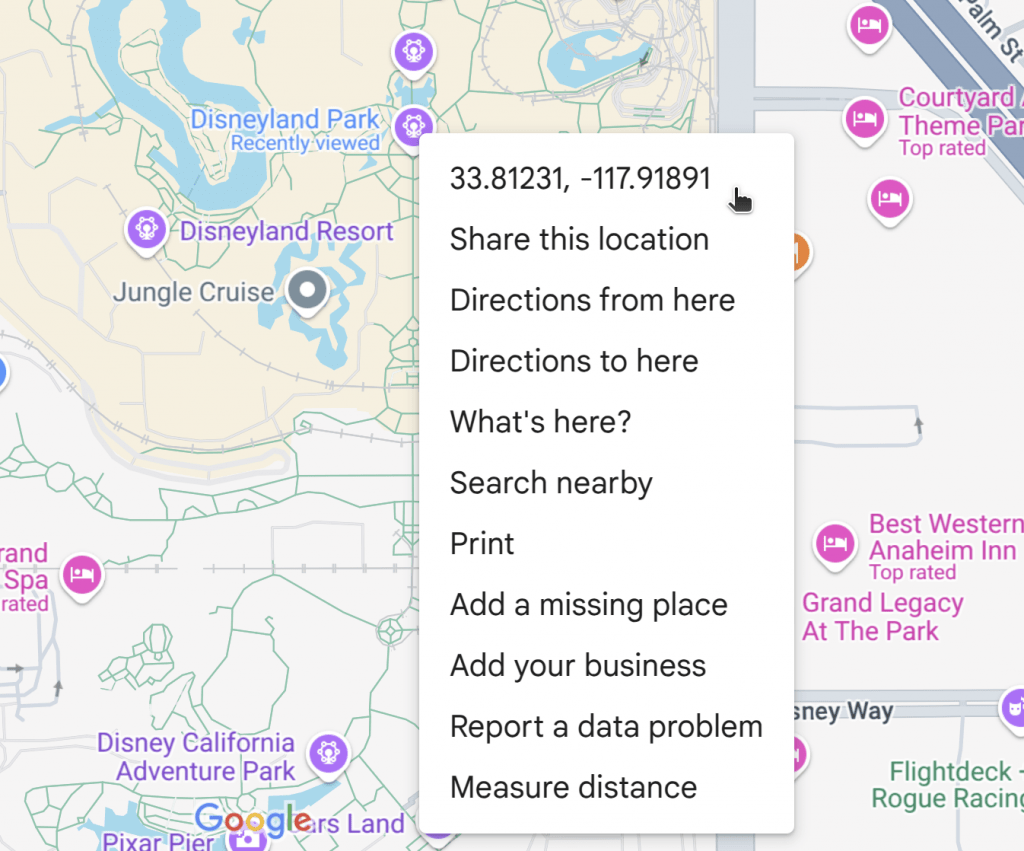

Note: If you are using a mobile device, long press rather than right click. You must long press on a part of the map that doesn’t have a label. The coordinates will appear in the search bar.
- Return to the webapp.
- From the menu, open Settings.
- Paste the coordinates into the Location box and check Center Map on Location.
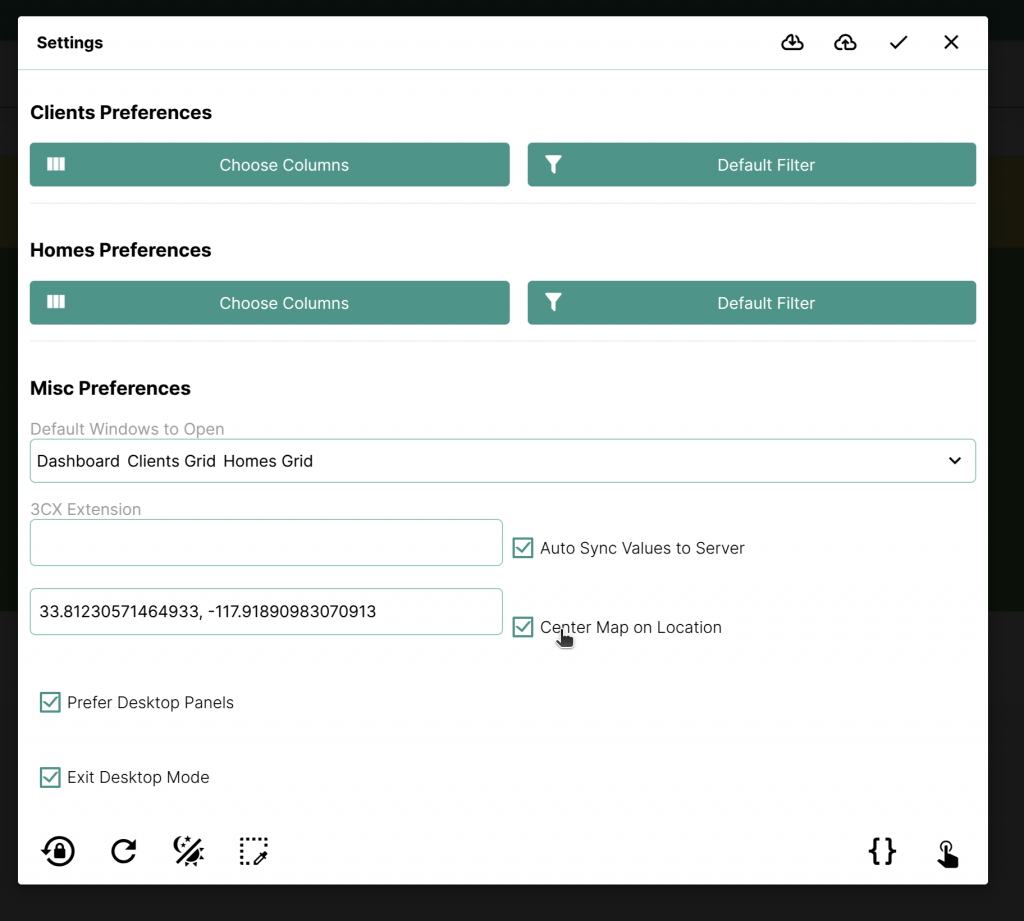
Now, when you open the map, it will automatically start at your chosen location.